
Microsoft Official Silent lab Video Solution: Class Extension using Even
Time to Complete: 10 Minutes
Solution Silent Video:
To create an interface, follow these steps:
Step 01: Open the visual studio Project. Right-click on Project go to Add-> New Item
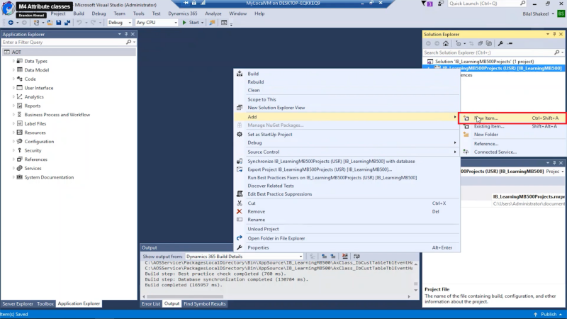
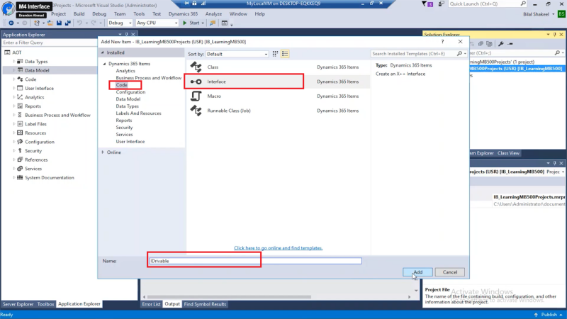
Step 02: Select code under dynamics 365 items and Interface in the middle pane, Input the name: IDrivable Click Add
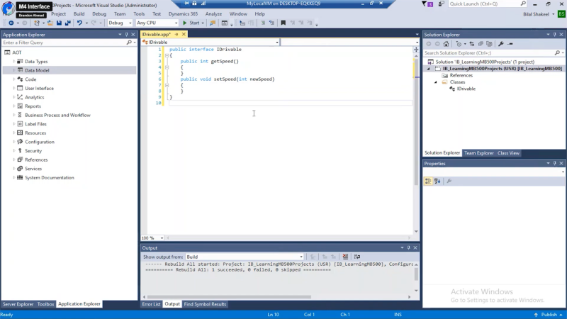
Step 03: Add code to your class from the example given at end
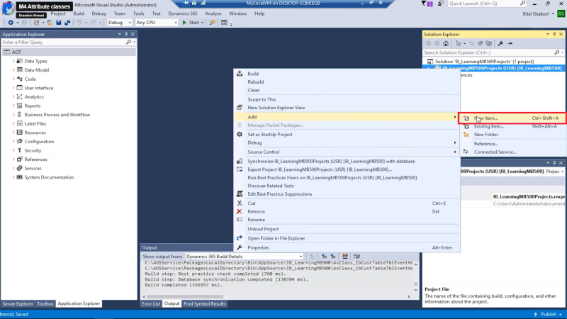
Step 04: Right click on Project go to Add-> New Item
Step 05: Select code under dynamics 365 items and Class in the middle pane, Input the name: Automobile Click Add
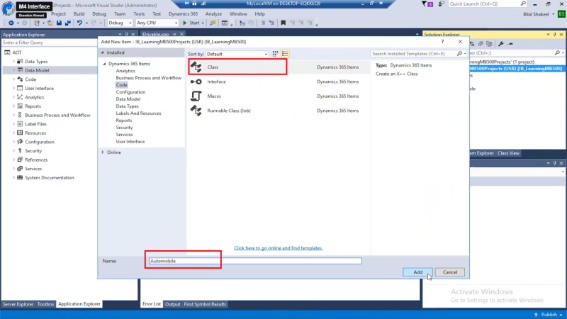
Step 06: Add code to your class
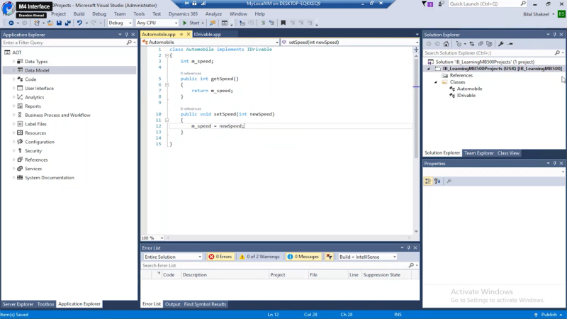
Step 07: Add another class with name: UseAnAutoMobile
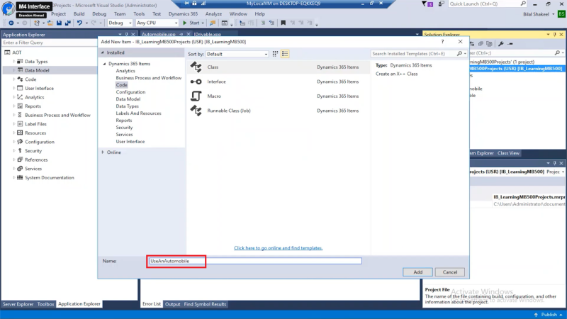
Step 08: Add code to your class using examples given at end
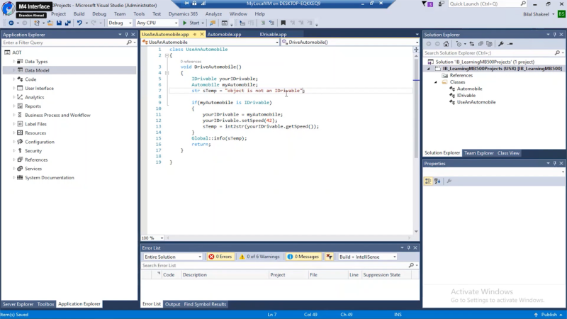
In the following example, an Automobile class implements an IDrivable interface. The is keyword is supported and lets you test whether a class implements an interface.
Add the following code
public interface IDrivable
{
public int getSpeed()
{
}
public void setSpeed(int newSpeed)
{
}
}
class Automobile implements IDrivable
{
int m_speed;
public int getSpeed()
{
return m_speed;
}
public void setSpeed(int newSpeed)
{
m_speed = newSpeed;
}
}
class UseAnAutomobile
{
void DriveAutomobile()
{
IDrivable yourIDrivable;
Automobile myAutomobile;
str sTemp = “object is not an IDrivable”;
myAutomobile = new Automobile();
if (myAutomobile is IDrivable)
{
yourIDrivable = myAutomobile;
yourIDrivable.setSpeed(42);
sTemp = int2str(yourIDrivable.getSpeed());
}
Global::info(sTemp);
return;
// output
// Message (06:46:33 pm)
// 42
}
}
